
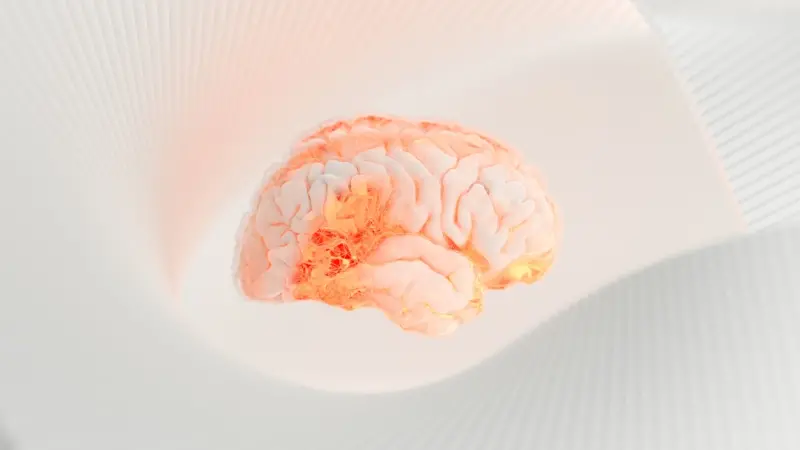
Why the Never‑Ending Ping Is More Dangerous Than You Think
Imagine sitting down to write a simple report. Your phone buzzes. You glance, reply, and instantly feel the urge to check the next message, the next email, the next Slack notification. Before you know it, fifteen minutes have vanished, the report is still blank, and a low‑grade anxiety settles in your chest. This is not a glitch in your productivity; it’s a symptom of a deeper health crisis—our brains are being hijacked by relentless digital interruptions.
The Science Behind the “Ping” Anxiety
Every notification triggers a burst of dopamine, the same chemical that lights up your brain when you win a prize or eat something delicious. That little dopamine hit is rewarding, which is why you can’t help but reach for your phone again and again. Over time, the brain learns to associate the sound of a notification with a reward, creating a feedback loop that can spiral into chronic stress.
Research from cognitive neuroscience shows that frequent interruptions impair working memory, reduce the ability to filter out irrelevant information, and increase cortisol levels—the hormone our bodies release during stress. When cortisol stays elevated for long periods, you’re looking at a higher risk of insomnia, weight gain, and even hypertension.
Beyond the Office: How Constant Alerts Affect Every Aspect of Life
It’s easy to blame the office for this problem, but the truth is that the same notification storm follows you home, into the kitchen, and even into the bedroom. Here are three areas where the ping’s impact is most pronounced:
- Family Dynamics: When a parent is perpetually glued to a screen, children pick up the habit. The result? A generation that equates attention with “always‑on” status. (Read more about this in tech overload in family life.)
- Physical Health: The stress response triggered by notifications can lead to muscle tension, especially in the neck and shoulders, commonly called “tech neck.” Over time, this can cause chronic pain and reduced mobility.
- Mental Wellness: The constant “what’s next?” feeling erodes your ability to enter a state of flow, a mental condition linked to heightened creativity and satisfaction.
Reclaiming Your Attention: A Step‑by‑Step Playbook
Below is a practical, no‑fluff guide to taming the notification beast. Each step is designed to be realistic for professionals who can’t simply “turn off” their devices.
1. Conduct a Notification Audit
Spend a single workday noting every alert you receive. Categorize them into three buckets:
- Essential (e.g., client calls, urgent system alerts)
- Useful (team updates, calendar reminders)
- Noise (social media likes, promotional emails)
Once you see the volume, you’ll be motivated to cut the noise.
2. Leverage “Do Not Disturb” Windows
Set two blocks of time each day—one in the morning and one in the afternoon—where you activate Do Not Disturb. During these windows, only the Essential category should break through. Most smartphones let you customize which contacts or apps can bypass the shield.
3. Consolidate Communication Channels
If you’re juggling Slack, Teams, email, and text, you’re basically giving the brain multiple “doors” to open. Choose one primary channel for work communication and turn off push notifications on the rest. For personal messages, schedule a dedicated “catch‑up” period.
4. Adopt the “Two‑Minute Rule” for Emails
If an email can be answered in under two minutes, do it immediately and then archive. Anything longer should be slotted into your calendar as a focused task. This prevents the inbox from becoming a never‑ending rabbit hole.
5. Create Physical “Signal‑Free” Zones
Designate areas in your home or office where devices are forbidden—think a reading nook, a kitchen counter during meals, or a bedside table after dark. The physical separation reinforces mental separation.
6. Use Micro‑Breaks to Reset Your Brain
Every 90 minutes, step away from screens for five minutes. Stretch, breathe, or stare at a window. This short pause allows the prefrontal cortex to recover, reducing the cortisol spike caused by continuous alerts.
7. Feed Your Gut to Calm Your Mind
Stress and gut health are intimately linked via the gut‑brain axis. Including probiotic‑rich foods can help regulate mood‑related neurotransmitters. If you’re curious about incorporating more friendly bacteria into your diet, check out probiotic benefits for stress. A simple spoonful of kefir or a handful of fermented veggies can be a game‑changer.
8. Practice “Digital Sunset”
Just as the sun sets, make a habit of turning off all screens at least an hour before bed. Blue light interferes with melatonin production, and the mental chatter from notifications can keep you awake. Instead, opt for a paperback, a journal, or meditation.
Why “Mindful Tech” Beats “Digital Detox”
Many articles preach the radical “digital detox”—a total shutdown for a weekend or a week. While occasional retreats are valuable, most professionals can’t afford a complete unplug for long periods. The smarter approach is mindful tech: intentional usage with clear boundaries. This strategy acknowledges the benefits of technology (instant communication, information access) while protecting your mental bandwidth.
Case Study: A Startup That Cut Its Notification Noise by 70%
Last quarter, a mid‑size SaaS startup decided to address chronic burnout among its 120‑person team. They implemented a company‑wide notification audit, turned off non‑essential push alerts, and instituted mandatory “focus hours.” Within six weeks, they reported:
- 30% reduction in reported stress levels (via anonymous survey)
- 15% increase in project completion speed
- Improved sleep quality among 80% of employees
The secret? Leadership modeled the behavior—executives kept phones on silent, and meeting agendas included a “no‑ping” clause.
Measuring Success: The Metrics That Matter
To know if your anti‑notification strategy works, track these indicators:
- Focus Time: Use a time‑tracking app to see how many uninterrupted minutes you log each day.
- Stress Survey Scores: Quarterly pulse surveys can reveal perceived stress changes.
- Sleep Quality: Apps like Sleep Cycle can give you a nightly sleep score—look for upward trends.
- Physical Complaints: Note reductions in neck or shoulder pain, often reported in wellness check‑ins.
Future Outlook: The Rise of “Notification‑Free” Design
Designers are catching on. Emerging UI/UX trends prioritize “quiet mode” defaults, where apps only surface alerts when truly critical. Some platforms are experimenting with AI that learns your work patterns and intelligently batches notifications for delivery at optimal times. This shift suggests that the industry itself recognizes the health toll of constant alerts.
Take the First Step Today
Pick one of the steps above and implement it tomorrow. Maybe it’s setting a “focus window” from 9 am‑11 am, or turning off all social media alerts after lunch. The key is to start small, measure the impact, and iterate. Your brain—your most valuable asset—deserves a break from the endless ping.
Remember, the goal isn’t to abandon technology; it’s to harness it without sacrificing your mental and physical health. By silencing the noise, you give yourself space to think, create, and truly thrive.

Related Posts

Digital Health Trends Redefining Workplace Wellness
A deep dive into the rise of data‑driven health in the workplace, highlighting predictive analytic... Read More

Unlocking Calm: How Simple Breathwork Transforms Modern Health
Learn how a few minutes of mindful breathing each day can lower stress, sharpen focus, and foster co... Read More

The Quiet Revolution: Turning Wearables into Your Personal Health Coach
Discover how everyday wearables can become a personalized health coach, empowering you with data-dri... Read More
Top Posts

Ontario Fishing Reimagined: Tech, Community, and Conservation
A deep dive into Ontario’s modern fishing landscape, highlighting smart technology, open data platforms, and community conservation efforts that together shap...Read More

Nature‑Infused Offices: How Biophilic Design Supercharges Employee Health
A deep dive into biophilic design reveals how natural light, greenery, and water features transform offices into health‑enhancing environments, delivering mea...Read More

Bridging Traditions: Integrating Indigenous Healing into Canada’s Modern Healthcare System
A deep dive into how Indigenous traditions can complement modern medicine in Canada, offering cultural safety, community‑centered care, and innovative hybrid ...Read More

How to Transform Your Canadian Yard into a Four‑Season Sanctuary
Learn how to reshape your Canadian yard into a vibrant, all‑season retreat with budget‑friendly ideas, clever planting, and cozy winter features that bring ...Read More
0 Comments
Post Comment
You will need to Login or Register to comment on this post!